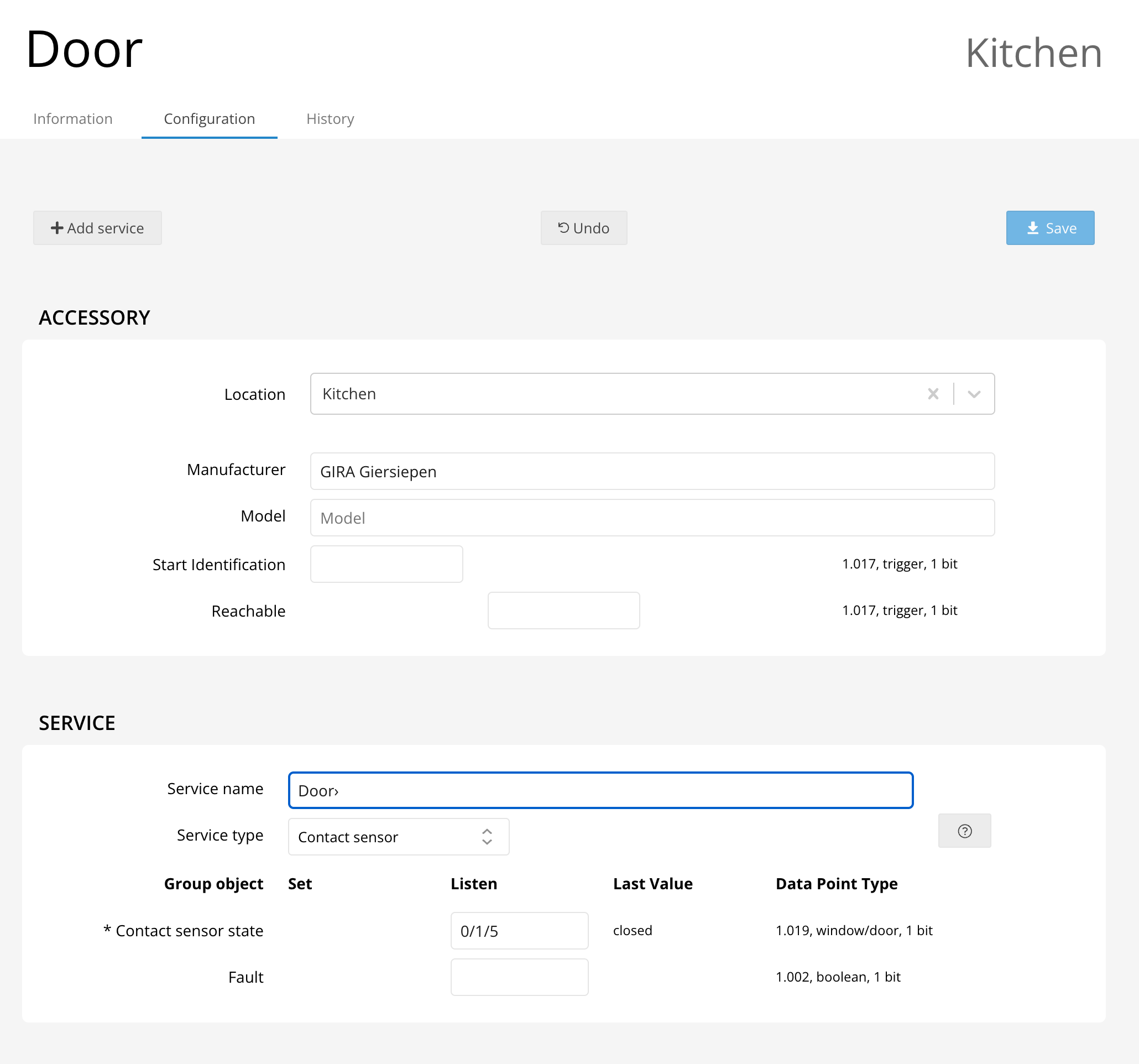
How do I configure my contact sensor?

KNX

How to Configure Your Contact Sensor

Setting up your contact sensor is simple and enhances your home security by detecting when a door or window is opened. Follow these easy steps to get started:

  • Assign a Group Address: Configure a single group address to connect your contact sensor to your smart home system.
  • Enable Notifications: Set up notifications in the Home app, so you’ll instantly know whenever the sensor detects contact.
  • Create Automations: Use these notifications to trigger smart automations, such as automatically turning on a light when a door opens.

With the contact sensor properly configured, you can enjoy peace of mind and convenience, knowing your home is always connected and responsive to your needs.

Contact Sensor Configuration Example