How do I configure my valve?
KNXHow to Configure Your Valve: Step-by-Step Guide
Configuring your valve is simple and ensures optimal performance. Follow these easy steps to get started:
- 1. Set Up the "Active" Object:
The "Active" object controls whether your valve is open or closed. Assign both a listen and set address to this object. Make sure to use Datapoint Type 1.001 for accurate operation. - 2. Set Up the "In Use" Object:
The "In Use" object indicates when water is actually flowing. If your system doesn’t have a dedicated "In Use" object, you can simply use the same listen address as the "Active" object. The correct Datapoint Type for this is 1.002.
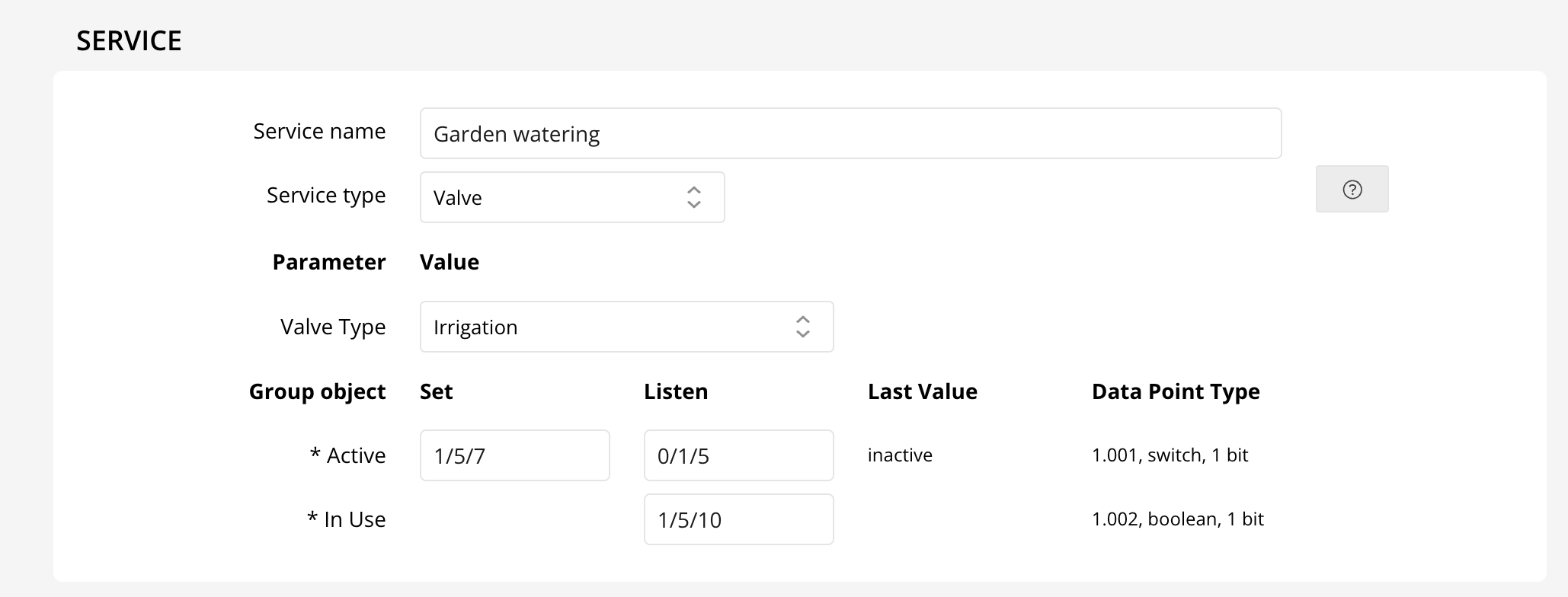
Additionally, you can customize how your valve appears in your Home app by adjusting the "Valve Type" parameter. The available options are shown below:
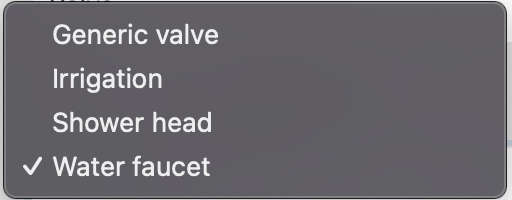
Changing the "Valve Type" will update the icons and appearance of your device in the Home app, making control even easier!