How to configure a Z-Wave device
Z-WaveHow to Easily Configure Your Z-Wave Device
Configuring your Z-Wave device is simple and user-friendly. Just follow these steps to get started:
- Access the Configuration Page: Click on your desired Z-Wave device to open its configuration page.
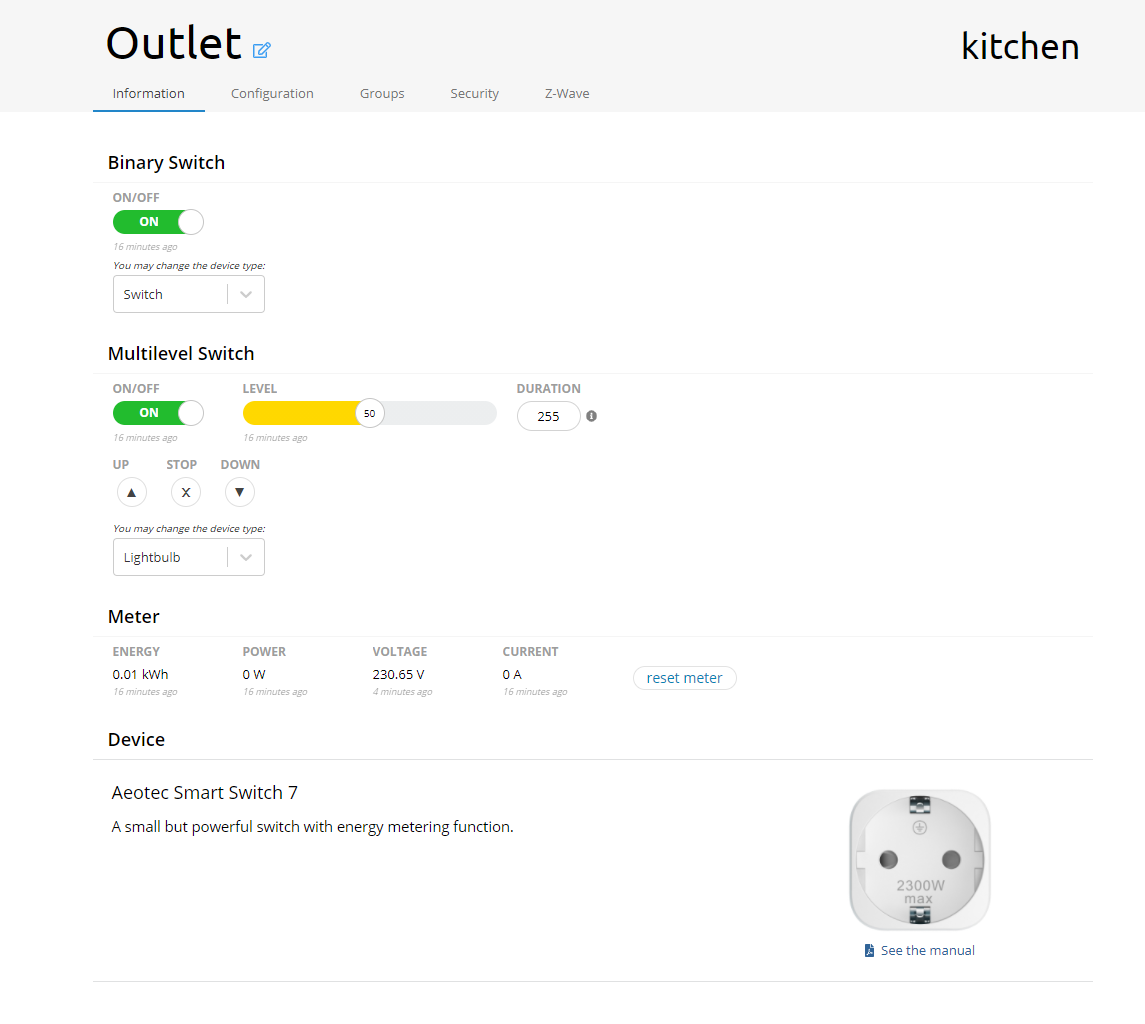
- Information Tab: Here, you'll find essential details about your device. Monitor everything from metering values to notifications, and control your device easily using command classes.
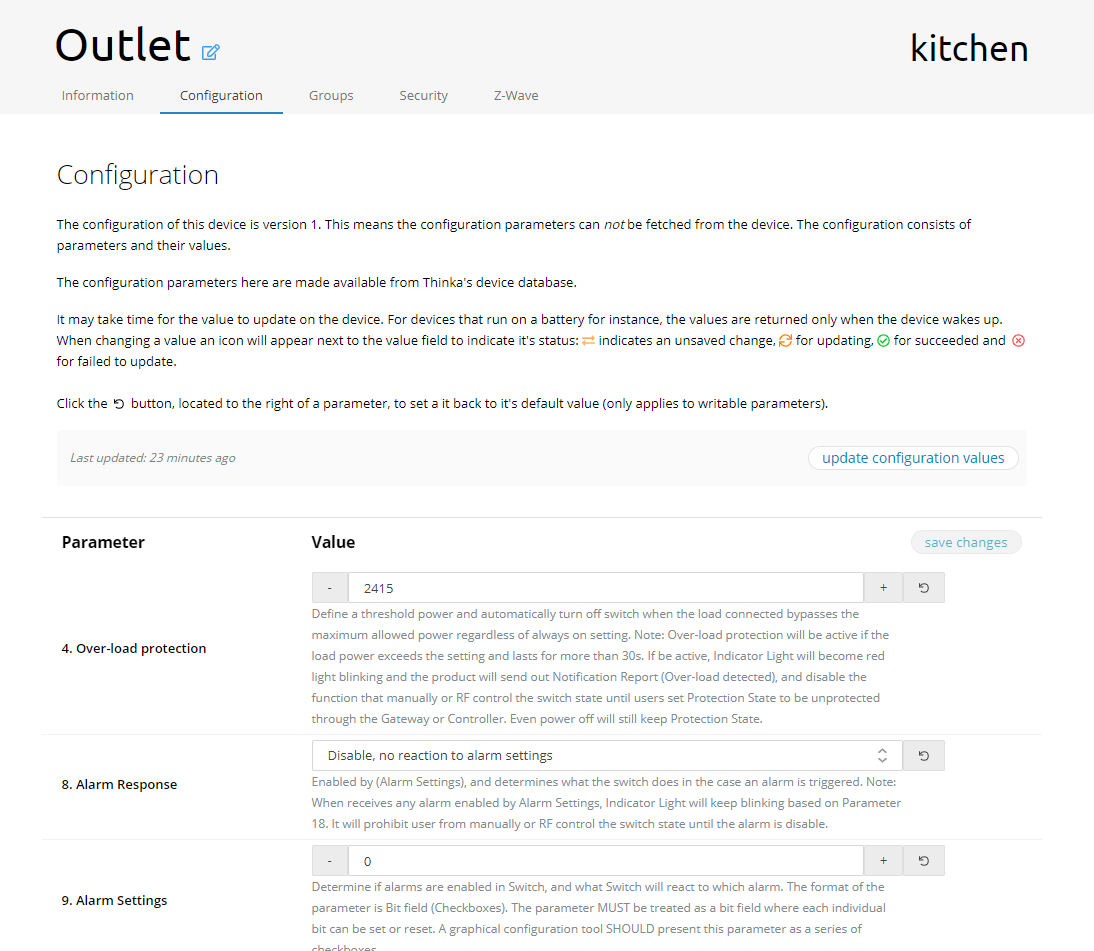
- Configuration Tab: Set and customize device parameters to suit your needs. Don’t forget to click “Save Changes” after updating your settings.
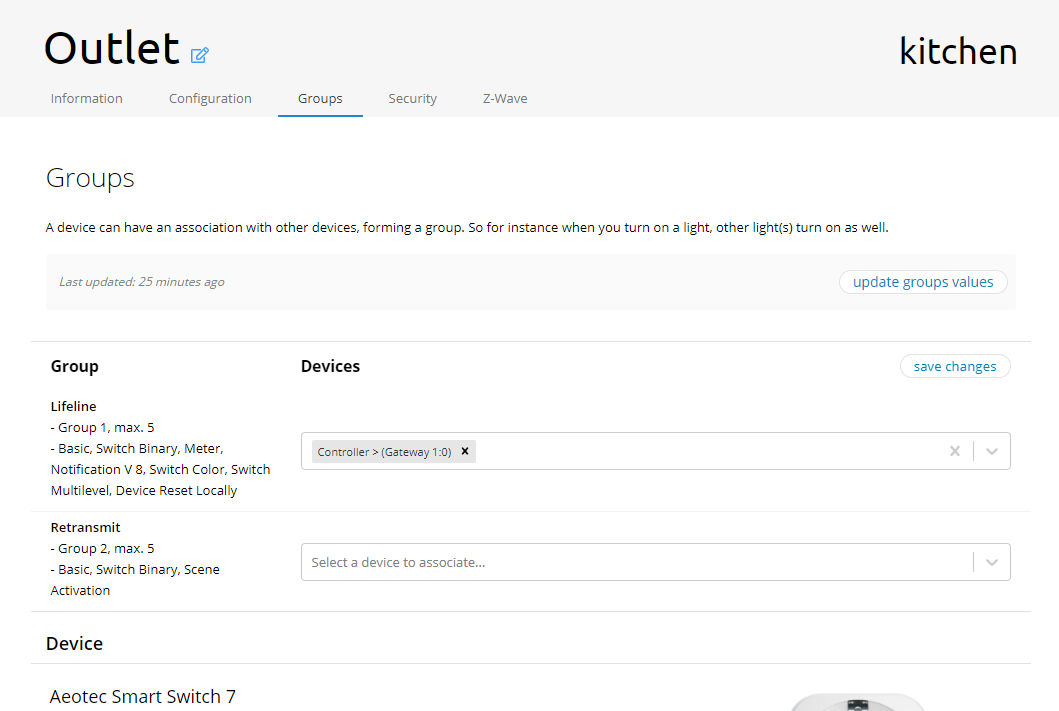
- Association Tab: Easily view and associate your device with other Z-Wave groups. Click “Save Changes” to apply your associations.
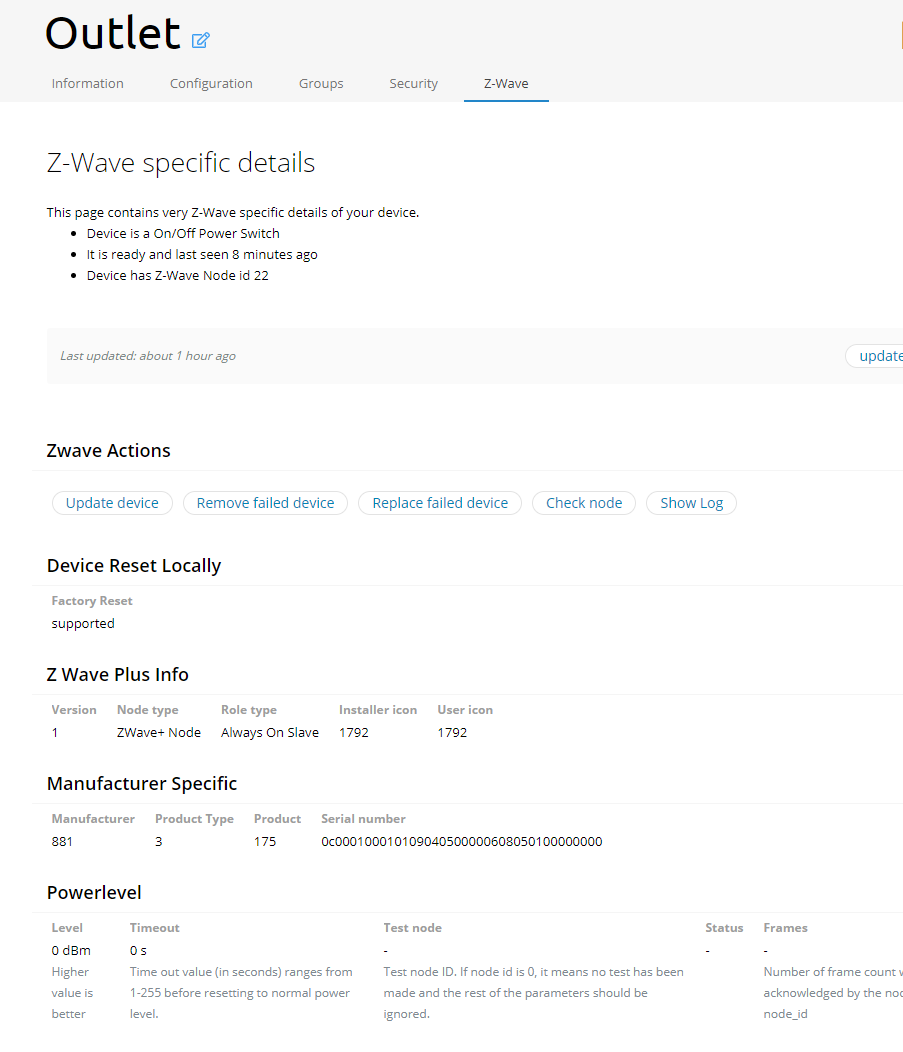
- Advanced Options: In the final tab, you can:
- Update device: Refresh device data for optimal performance.
- Remove failed device: Easily remove devices that are no longer responsive.
- Check node: Verify if your device is active and connected.
With these simple steps, managing your Z-Wave device is quick, efficient, and hassle-free!