How do I configure Energy Monitor?
KNXHow to Configure Your Energy Monitor with Thinka
Setting up your Energy Monitor with Thinka allows you to track essential energy metrics like kWh, Watts, Voltage, and Amperage for smarter energy management.
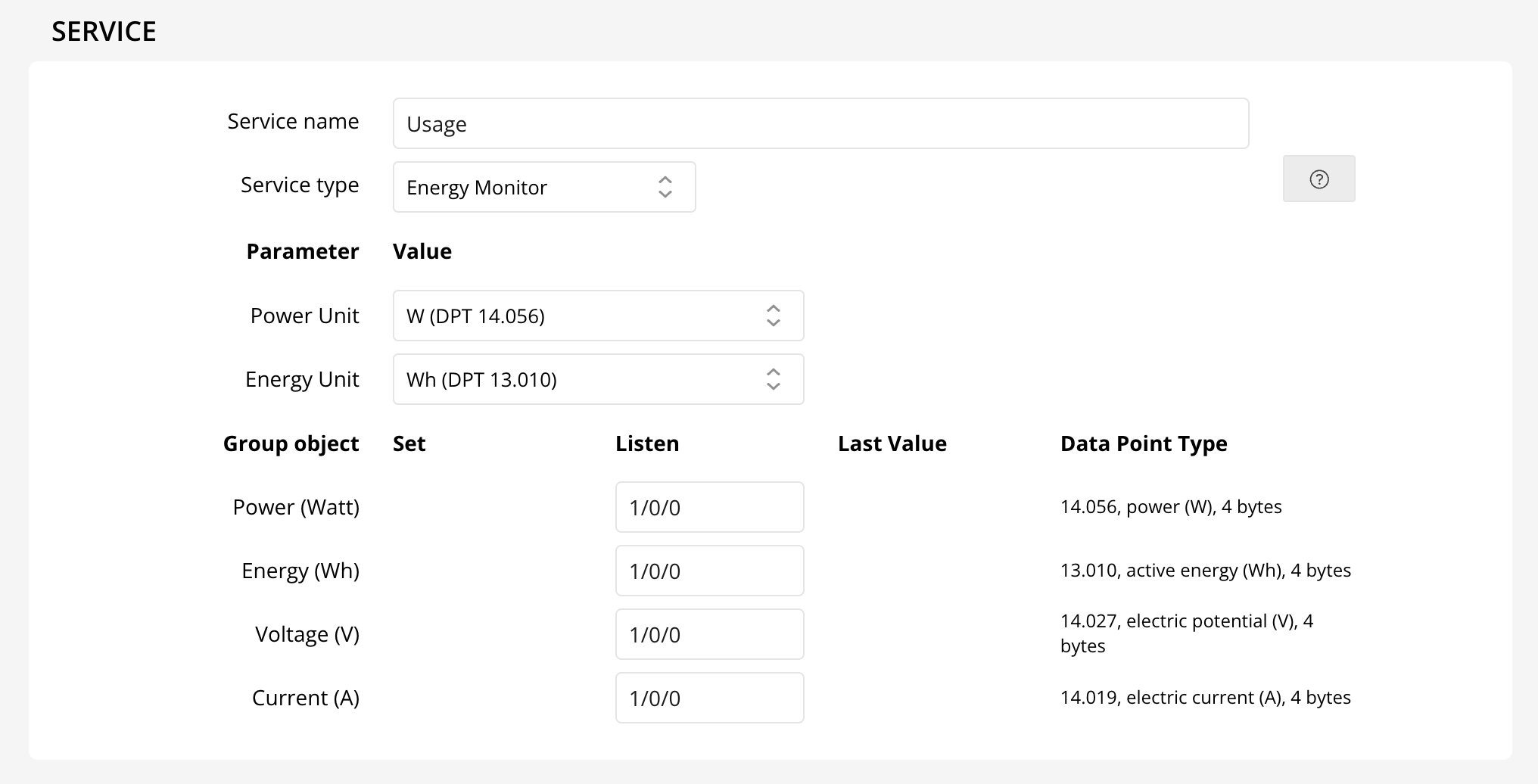
- Power (Watt): Monitors your current power usage. DataPointType: 14.056
- Energy (kWh): Tracks your total energy consumption. DataPointType: 13.010
- Voltage (V): Displays voltage levels. DataPointType: 14.027
- Current (Amperage): Measures the electrical current. DataPointType: 14.019
To start, add an Accessory to Thinka and select the Energy Monitor service (currently in beta). Enter the group addresses for each value above to enable monitoring.
While the Apple Home App may not display these readings, you can view and analyze them via HomeKit apps like Eve. Thinka leverages an advanced feature so you can see real-time data in Eve, and even track costs by configuring your kWh rate.
Here’s how it looks in the Eve app:
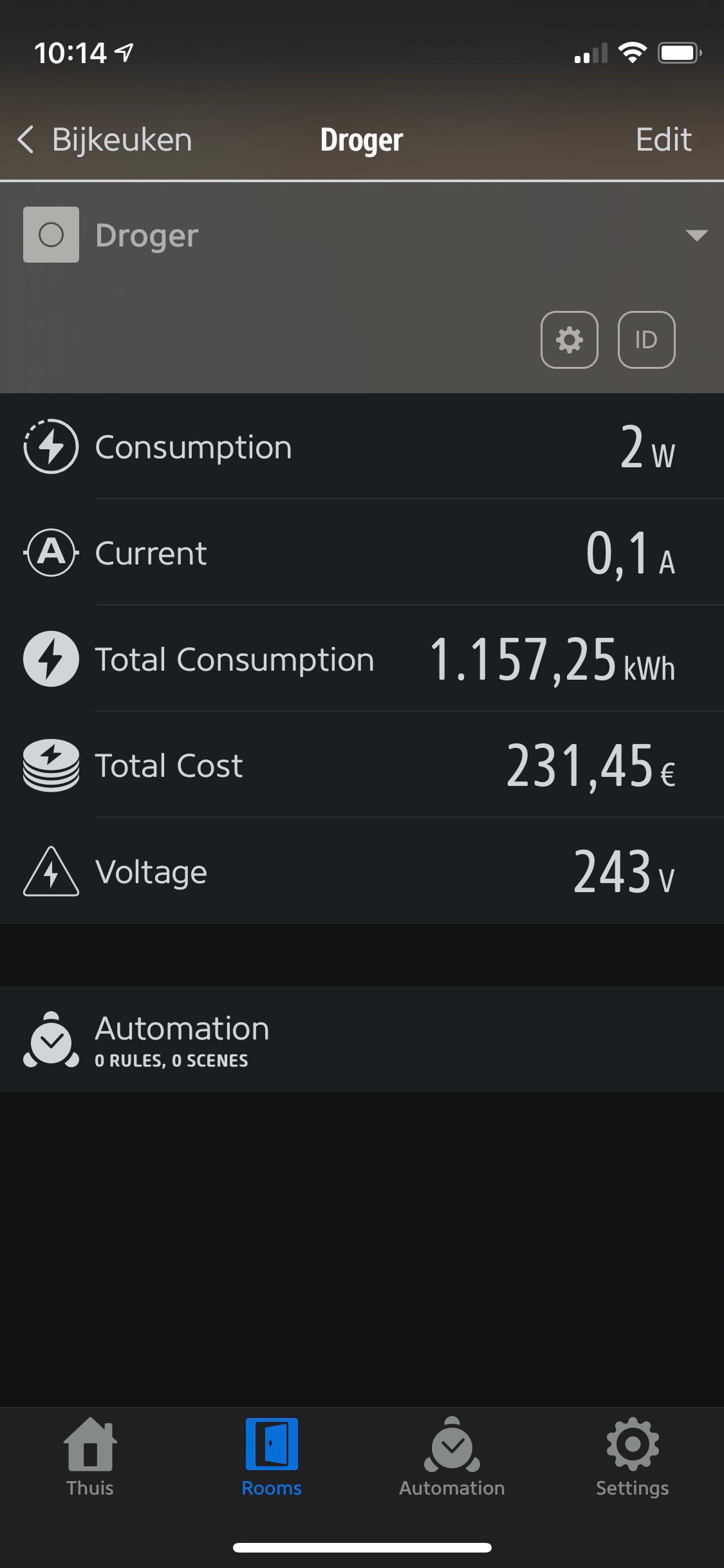
Note: The Energy Monitor is part of Thinka’s beta channel features.