How do I configure my thermostat?
KNXHow Do I Configure My Thermostat?
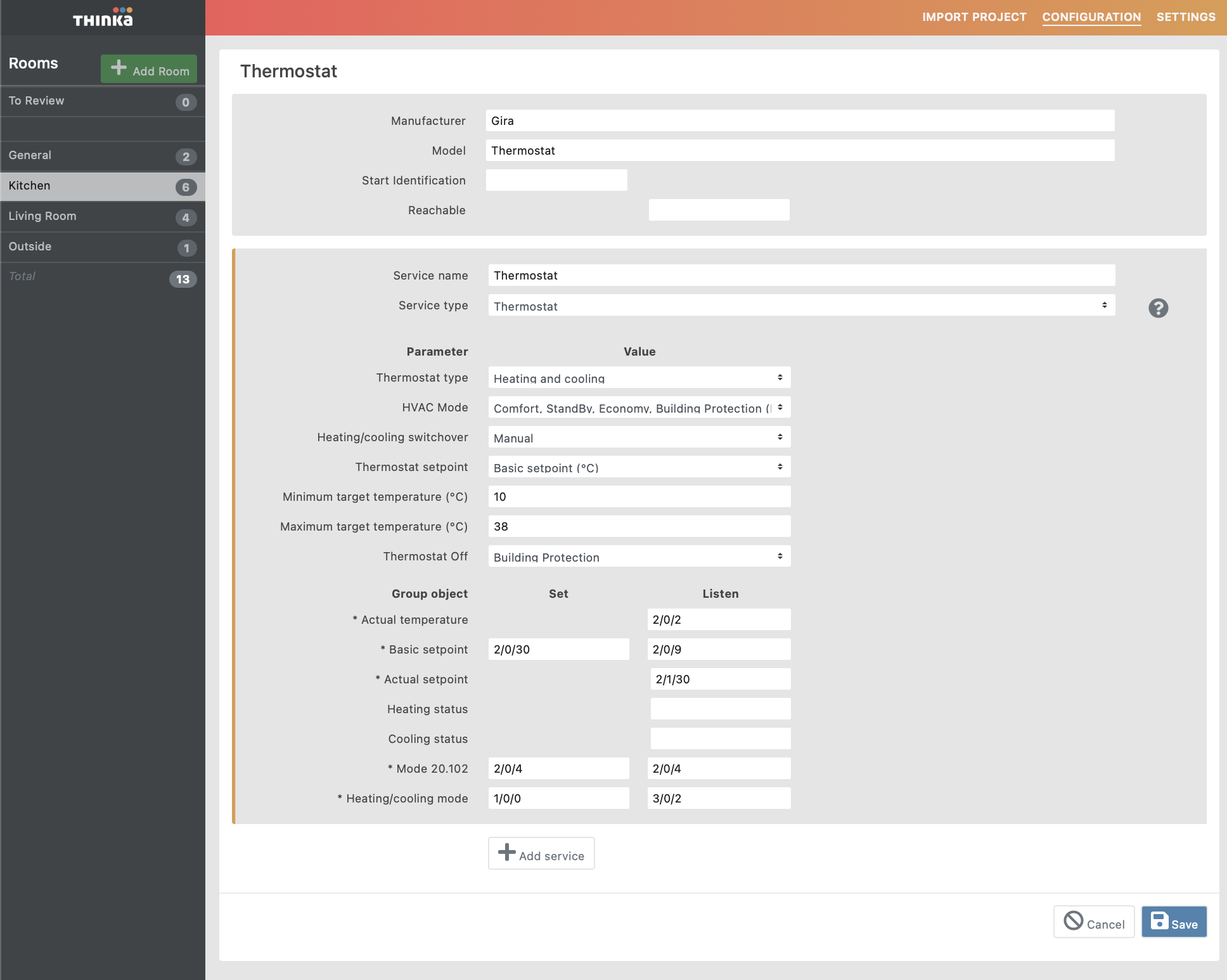
Setting up your thermostat is simple and gives you full control over your home's comfort. Follow these easy steps to configure your thermostat for heating, cooling, or both:
- Select Thermostat Type: Choose between heating, cooling, or heating and cooling. If you choose both, decide if switching modes is manual or automatic.
- Pick the HVAC Mode: Options include basic On/Off, advanced KNX modes (20.102 for thermostats, 20.105 for air conditioning). KNX 20.102 offers Comfort, StandBy, Economy, and Building Protection. Mode 20.105 includes Auto, Heat, Cool, and Off.
- Adjust the Setpoint: Set the temperature directly or use a shift (by degrees or counter value). Ensure your setpoint shift matches your KNX thermostat setup.
- Set Temperature Range: Define your minimum and maximum target temperatures for easy control in your Home app.
- Configure Group Addresses: Assign addresses for:
- Actual temperature (room reading)
- Basic setpoint or setpoint shift (how you adjust the temp)
- Heating/Cooling messages (status updates)
- HVAC modes and heating/cooling switchover (for advanced setups)
Thinka offers flexible thermostat configuration—from basic temperature setting to advanced KNX integration. For more details, see our guides for Apple Home, Google Home, and Amazon Alexa.