How can I see the quality of my Z-Wave network?
Z-WaveHow to Check the Quality of Your Z-Wave Network
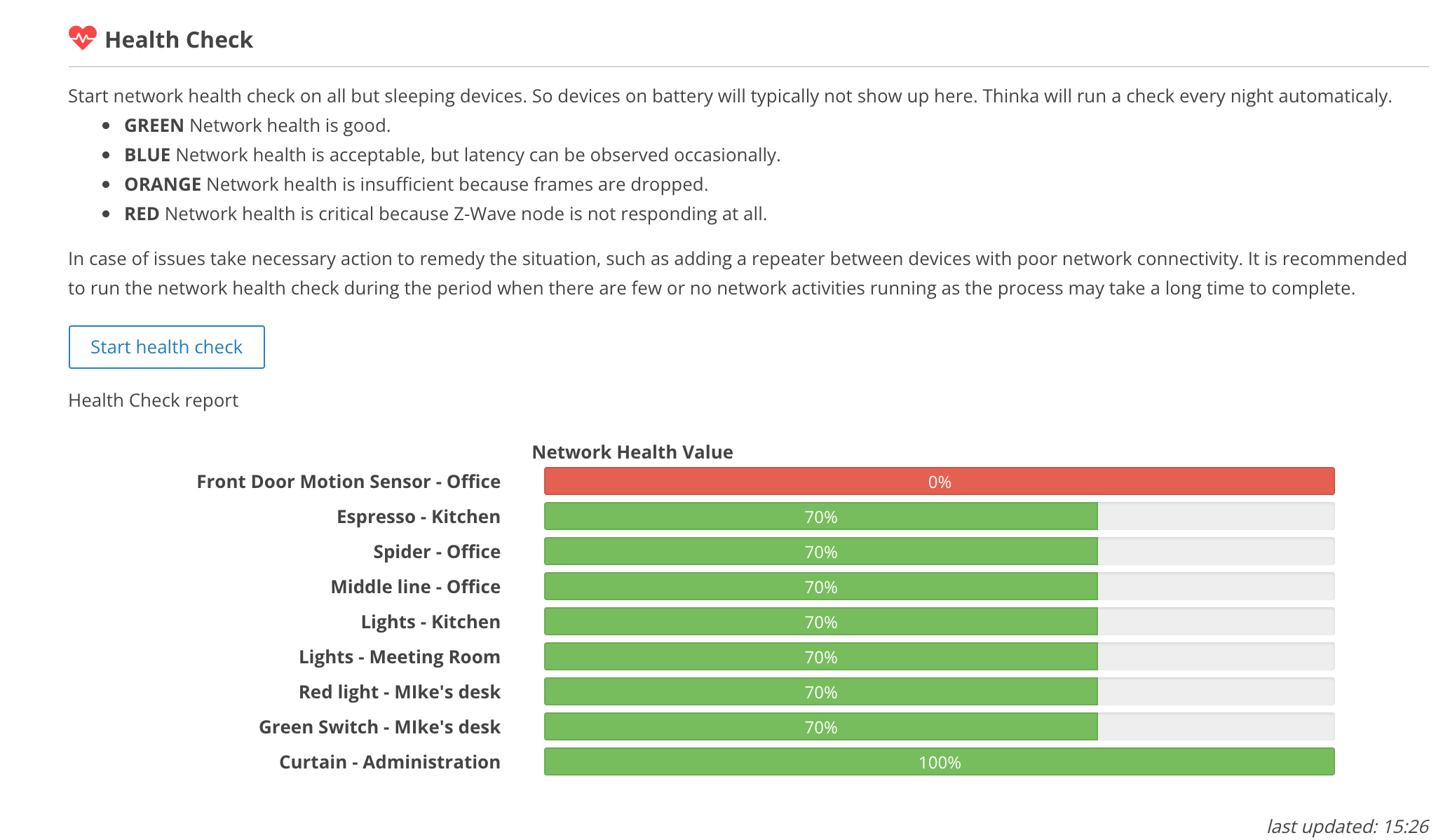
Want to make sure your Z-Wave network is running smoothly? Thinka automatically performs a health check every night to monitor the quality of your Z-Wave connections. This helps you keep your smart home devices working seamlessly!
- Easy Access: Simply log in to your Thinka web interface.
- Navigate: Go to Settings → Z-Wave to view the latest health check report.
- Visual Insights: Instantly see the status of every device and connection in your network.
With these detailed insights, you can quickly identify and resolve any issues, ensuring optimal performance for your smart home. Stay in control and enjoy a reliable Z-Wave experience with Thinka!